How to Compress a PDF Without Losing Important Quality
Large PDF files can be difficult to email, upload, store, or share. A document containing high-resolution images, scanned pages, or detailed graphics can quickly become much larger than necessary.
The good news is that you can often compress a PDF without losing important quality. The key is to reduce unnecessary file data while keeping the parts that matter most, such as readable text, clear images, diagrams, and the original page layout.
Whether you need to send a document by email, upload it to a website, or simply save storage space, the right PDF compression method can make a noticeable difference.
Why Are Some PDF Files So Large?
PDF size depends on what the document contains.
A simple text-based PDF may be relatively small, while a scanned document can be much larger because every page may contain a high-resolution image. Photos, screenshots, embedded fonts, graphics, and other resources can also increase the file size.
For example, a PDF created from a scanner may contain pages saved as large images even when the original document only contains ordinary text. Compressing those images can significantly reduce the overall size.
This is why the best PDF compression method depends on how the file was created and what it contains.
How to Compress a PDF Without Losing Important Quality
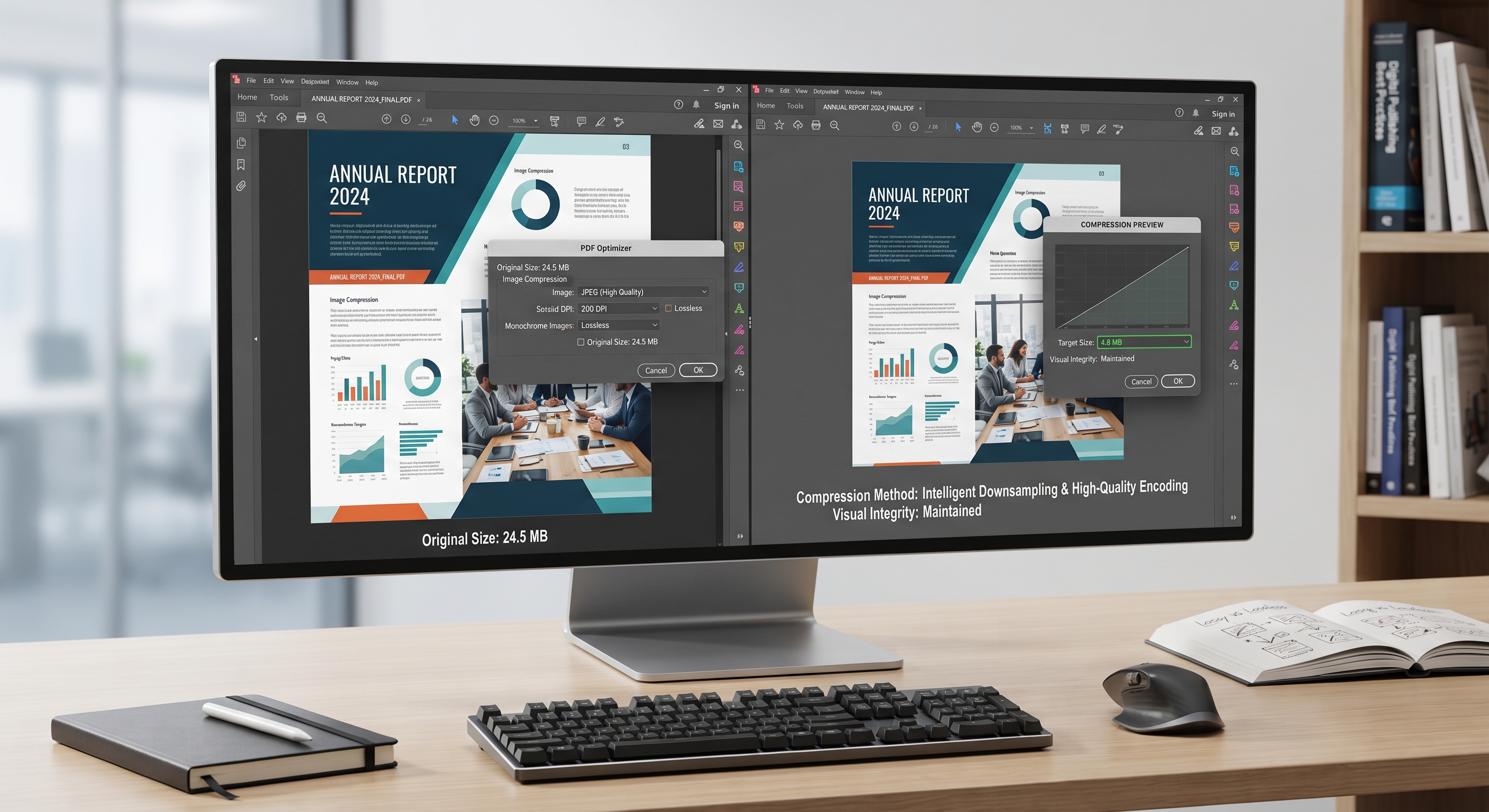
The easiest way to compress a PDF is to use a reliable PDF compression tool and choose a balanced compression level.
If the document contains mostly text, you may be able to reduce the file size substantially without noticing a major difference. For image-heavy documents, compression should be handled more carefully.
Start with the original PDF and keep a backup copy. Then choose a moderate compression setting rather than immediately selecting the strongest possible option.
After compression, open the new file and inspect several pages. Check headings, small text, photographs, charts, signatures, and other details that are important in the document.
The goal is not to make the smallest PDF possible. The goal is to create a smaller file while keeping the document useful and readable.
Compress PDF Images Carefully
Images are often one of the biggest contributors to PDF file size.
If a document contains photographs or scanned pages at extremely high resolution, reducing that resolution can make the file considerably smaller.
However, reducing image quality too aggressively can make text inside scanned documents difficult to read. Fine lines may disappear, photographs can become blurry, and diagrams may lose detail.
For most general documents, moderate image compression is a better starting point than maximum compression.
A practical approach is to consider where the PDF will be viewed. A document intended for ordinary screen viewing may not need the same image resolution as a file prepared for professional printing.
Reduce PDF Size for Email and Uploads
Email services, online forms, job portals, government websites, and business platforms may impose file-size limits.
If your PDF is too large to upload, compression is often the simplest solution. Instead of removing pages or splitting the document immediately, try reducing unnecessary image data first.
For example, if a PDF contains ten pages of scanned paperwork, the original scans may be much higher resolution than necessary for online submission. A properly compressed version can often remain perfectly readable while taking up significantly less space.
Always make sure that important information such as names, numbers, signatures, dates, and fine print remains clear after compression.
Lossy vs. Lossless PDF Compression
PDF compression can involve different techniques.
Lossless compression reduces file data without removing information that affects the original content. It is useful when preserving every detail is important, although the reduction in file size may be limited.
Lossy compression can achieve much smaller files by removing some image information that may not be noticeable at normal viewing sizes. This is particularly useful for photographs and scanned pages.
Neither method is automatically better. The right choice depends on how the PDF will be used.
A legal document, technical drawing, or print-ready file may require more careful quality control than a simple document being sent by email.
Common PDF Compression Mistakes
One common mistake is choosing the strongest compression option without checking the result. A PDF may become very small but contain blurry scans or difficult-to-read text.
Another mistake is compressing an already compressed PDF repeatedly. Each additional processing step can sometimes make image quality worse without providing much additional size reduction.
It's also easy to focus only on file size. A 90% reduction sounds impressive, but it is not useful if the document is no longer readable.
Always compare the compressed file with the original. Open it on a computer or phone and zoom into important areas. Pay special attention to scanned text, tables, signatures, and images.
When Should You Use an Online PDF Compressor?
An online PDF compressor can be convenient when you need a quick result without installing software. You can upload the document, choose a compression level, and download the smaller file.
This can be useful for everyday documents, school assignments, forms, presentations, and files that need to be shared quickly.
However, think carefully before uploading sensitive documents to any online service. Private contracts, identification documents, financial records, or confidential business files may require a more privacy-focused approach.
For sensitive files, using trusted desktop software or a local PDF compression tool may be more appropriate.
How Much Can a PDF Be Compressed?
There is no fixed percentage that applies to every document.
A text-only PDF may already be well optimized and show only a modest reduction. A document containing large photographs or high-resolution scans may shrink much more.
The final size depends on the original PDF, the number and type of images, embedded resources, and the compression settings used.
Rather than aiming for a specific percentage, focus on the practical result: a file that is small enough for its intended purpose while keeping all important information clear.
Frequently Asked Questions
How can I compress a PDF without losing quality?
Use moderate compression, reduce unnecessarily high image resolution, and preserve important text and graphics. Always check the compressed document before sharing it.
What is the best way to reduce PDF file size?
The best method depends on the PDF. For image-heavy files, optimizing images usually makes the biggest difference. For text-based files, removing unnecessary embedded data may help.
Can I compress a PDF online?
Yes. Online PDF compressors can quickly reduce file size without requiring desktop software. For confidential documents, review the service's privacy practices before uploading.
Will compressing a PDF make it blurry?
It can, especially when strong image compression is used. Choosing a moderate compression level can help maintain readability and visual quality.
How do I make a PDF smaller for email?
Compress the PDF using a balanced quality setting, then check the resulting file to make sure all important text, images, and pages remain clear.