JPG vs PNG: What Is the Difference and Which Format Should You Use?
When saving or uploading an image, you may be asked to choose between JPG and PNG. Both are common image formats, but they are designed for slightly different purposes. Choosing the right one can affect image quality, transparency, file size, and website loading speed.
So, what is the difference between JPG and PNG, and which format should you actually use?
The simple answer is this: JPG is usually better for photographs and other detailed images, while PNG is often better for graphics, logos, screenshots, and images that need transparency. The right choice depends on what your image contains and how you plan to use it.
What Is JPG?
JPG, also written as JPEG, is one of the most widely used image formats on the internet. It was created with photographs and complex images in mind.
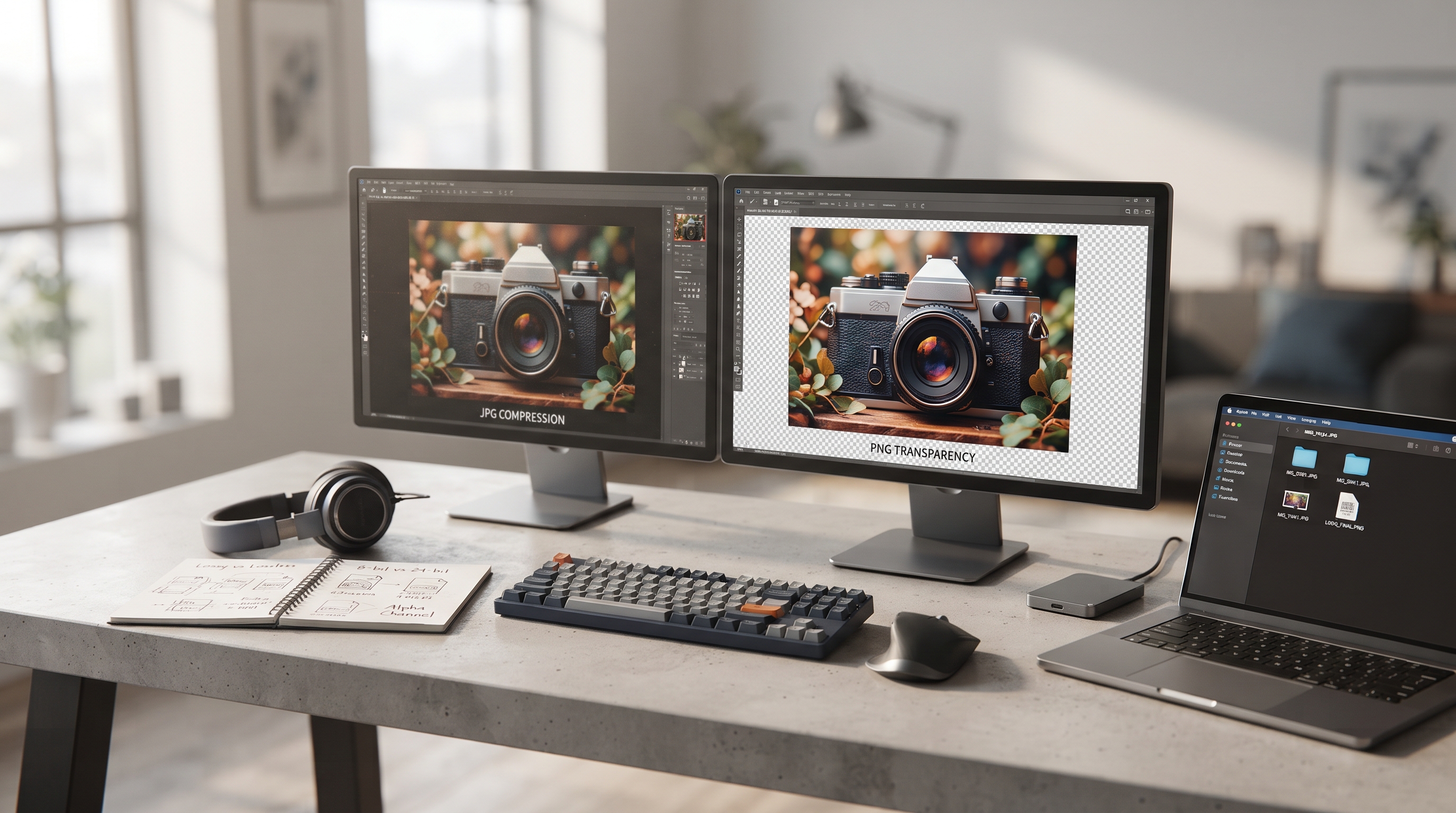
JPG uses lossy compression. This means some image data is removed when the file is compressed. The advantage is that JPG files can become much smaller while still looking good in many situations.
This makes JPG particularly useful for photographs, travel pictures, product images, and other images containing many colours and subtle details.
The downside is that repeated editing and saving can gradually reduce image quality. Heavy compression can also create visible artifacts around text, edges, and other detailed areas.
What Is PNG?
PNG stands for Portable Network Graphics. Unlike JPG, PNG uses lossless compression, which means it preserves the original image data more accurately.
One of PNG's biggest advantages is transparency. A PNG can have a transparent background, which makes it useful for logos, icons, website graphics, and designs that need to be placed over different backgrounds.
PNG is also a good choice for screenshots, diagrams, illustrations, and images containing text or sharp lines. These types of images can sometimes look cleaner in PNG because the format avoids the same kind of lossy compression used by JPG.
The main disadvantage is file size. PNG images are often much larger than comparable JPG files, especially when used for detailed photographs.
JPG vs PNG: Key Differences
The biggest difference between JPG and PNG is how they handle compression.
JPG prioritizes smaller file sizes. It can significantly reduce an image's size, but some quality may be lost during compression.
PNG prioritizes image preservation. Its lossless compression keeps the image data intact, but the resulting file can be considerably larger.
Transparency is another major difference. PNG supports transparent backgrounds, while standard JPG images do not.
For example, imagine you have a company logo with no background. Saving it as PNG allows you to place the logo on a website, presentation, or image without showing a solid rectangular background.
A photograph of a city, on the other hand, normally does not need transparency. JPG is usually more practical because it can keep the file reasonably small while maintaining good visual quality.
JPG vs PNG for Photos
For most photographs, JPG is the better option.
Photos typically contain thousands of colours, gradients, textures, and fine details. JPG compression is designed to handle this type of visual information efficiently.
If you are uploading photos to a website, using JPG can help reduce image file sizes and improve page loading performance. The key is to avoid excessive compression that makes the image visibly blurry or blocky.
PNG can still be used for photographs, but the larger file size often provides little practical benefit compared with a properly compressed JPG.
JPG vs PNG for Logos and Graphics
PNG is usually the better choice for logos, icons, illustrations, and graphics with transparent backgrounds.
It is especially useful when an image contains sharp edges, solid colours, or text. PNG can preserve these details without introducing the compression artifacts that can appear in heavily compressed JPG files.
For example, a website logo saved as PNG can maintain clean edges and transparency, making it easier to use across different page backgrounds.
JPG vs PNG for Screenshots
Screenshots are another situation where PNG often performs better.
A screenshot may contain small text, menus, icons, straight lines, and areas of uniform colour. These details can become less sharp when compressed heavily as JPG.
PNG keeps these elements crisp, which is why it is commonly used for software screenshots, tutorials, diagrams, and interface images.
However, for a screenshot containing a large photographic background, JPG may still be reasonable when file size is a priority.
Which Format Is Better for Websites?
There is no universal winner in the JPG vs PNG debate.
For most website photographs, JPG is often a practical choice because of its smaller file size. Smaller images can help reduce bandwidth usage and improve loading times.
PNG makes more sense for graphics where transparency or precise image detail is important.
Modern websites may also use formats such as WebP or AVIF for certain images. These formats can provide useful combinations of quality and compression, but JPG and PNG remain widely supported and easy to work with.
The best approach is to choose the format based on the image rather than using one format for everything.
Common Mistakes to Avoid
One common mistake is saving every image as PNG simply because it offers lossless quality. A large collection of unnecessarily large PNG photographs can quickly increase website storage and page weight.
Another mistake is using JPG for transparent graphics. JPG does not support a transparent background, so a transparent logo saved as JPG will typically have a solid background instead.
It is also worth avoiding repeated JPG editing and saving when possible. Keeping the original file and exporting a final version can help preserve quality.
Finally, don't assume that the largest file is automatically the best image. For online use, the goal is usually to achieve a sensible balance between visual quality and file size.
Frequently Asked Questions
Is JPG better than PNG?
Neither format is always better. JPG is generally better for photographs and smaller file sizes, while PNG is often better for transparency, screenshots, logos, and graphics with sharp details.
Should I use JPG or PNG for a website?
Use JPG for most photographs and PNG for graphics that require transparency or need very sharp text and edges.
Is PNG higher quality than JPG?
PNG uses lossless compression, so it preserves image data more accurately. However, that does not mean PNG is automatically the best choice for every image.
Can JPG have a transparent background?
No. Standard JPG does not support transparency. PNG is a better choice when an image needs a transparent background.
Which is smaller, JPG or PNG?
JPG files are generally smaller when comparing similar photographic images. PNG files can be larger because they use lossless compression.